BC 28 - Withholding Tax Functionality
Hi Readers,
Withholding tax (often abbreviated as WHT) is a tax deducted at source on certain payments, such as those made to vendors or suppliers.
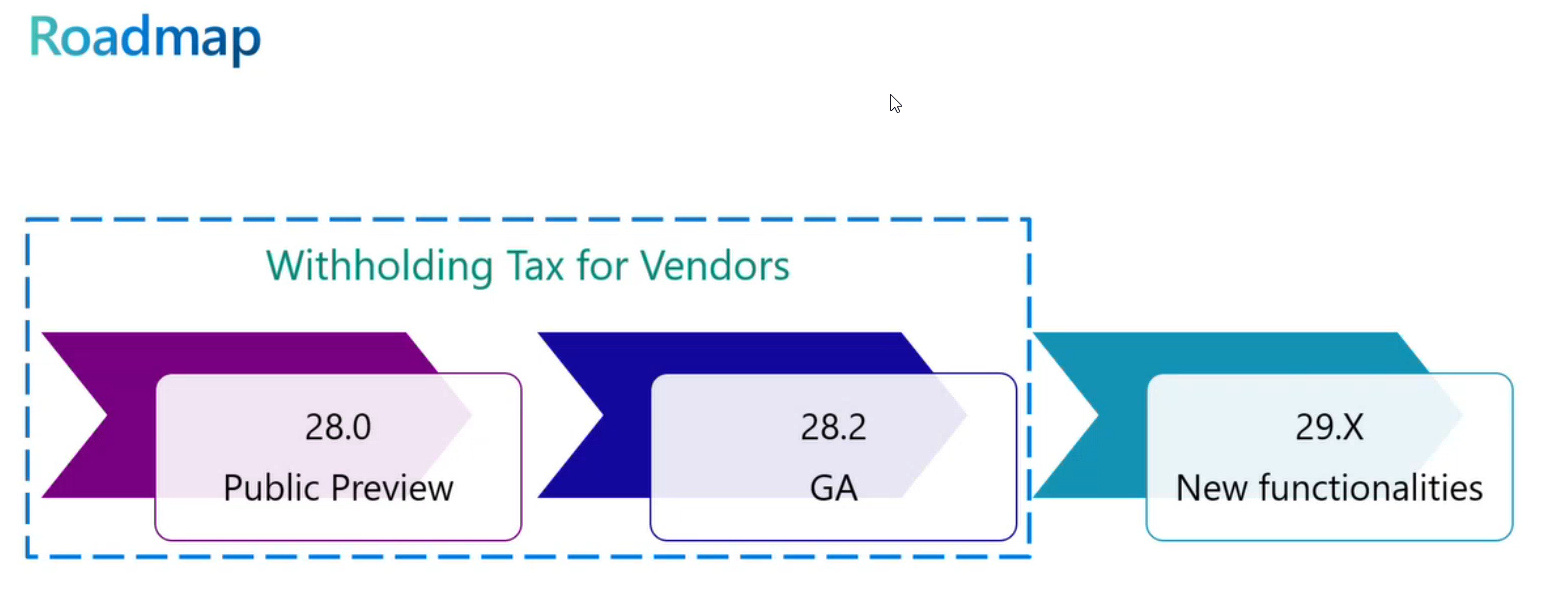
Microsoft Dynamics 365 Business Central continues to evolve with features that help businesses handle complex financial and compliance requirements more efficiently. One of the standout additions in update 28.0 is the ability to calculate withholding taxes for vendors—now available as a public preview feature.
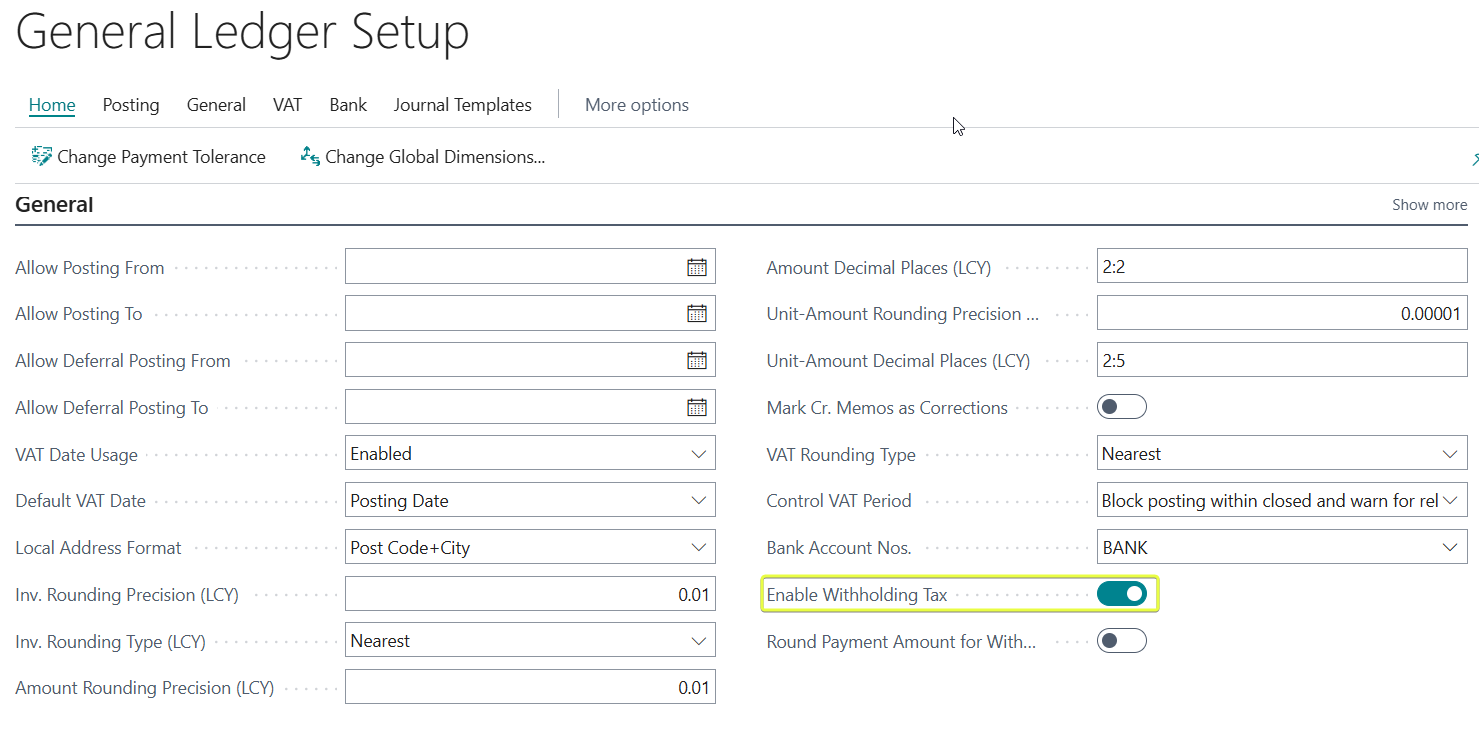
To enable withholding tax calculation, open the General Ledger Setup page and turn it on.
Next, configure the Withholding Tax Revenue Types, including their sequences and posting groups. Then, set up the following:
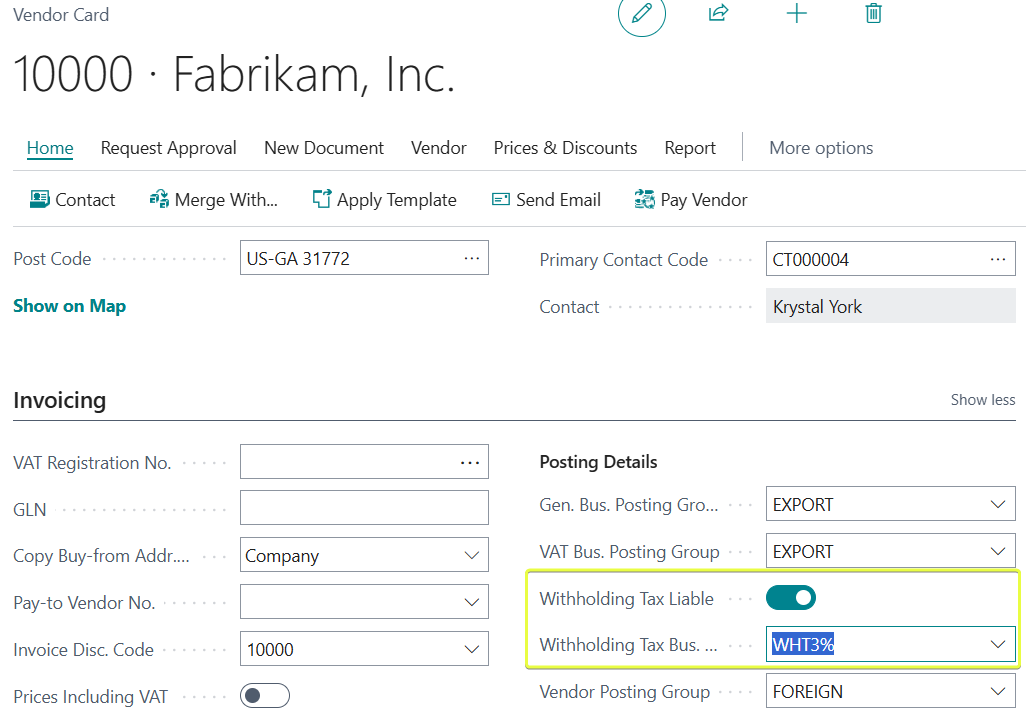
- Withholding Tax Bus. Post. Group and apply it to vendors that are subject to withholding tax.
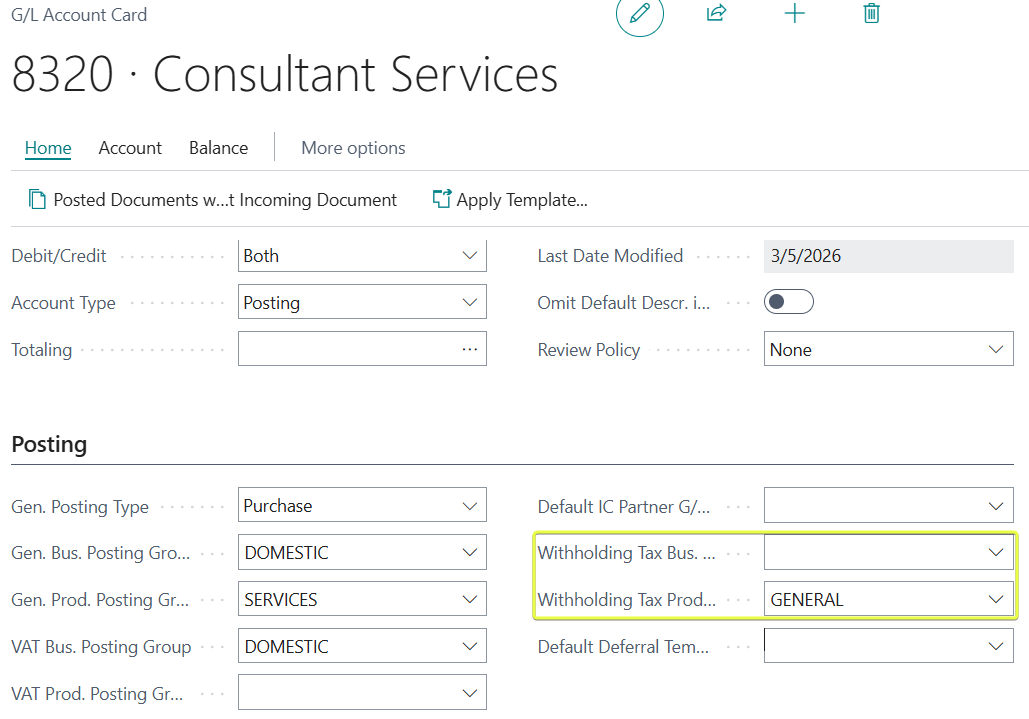
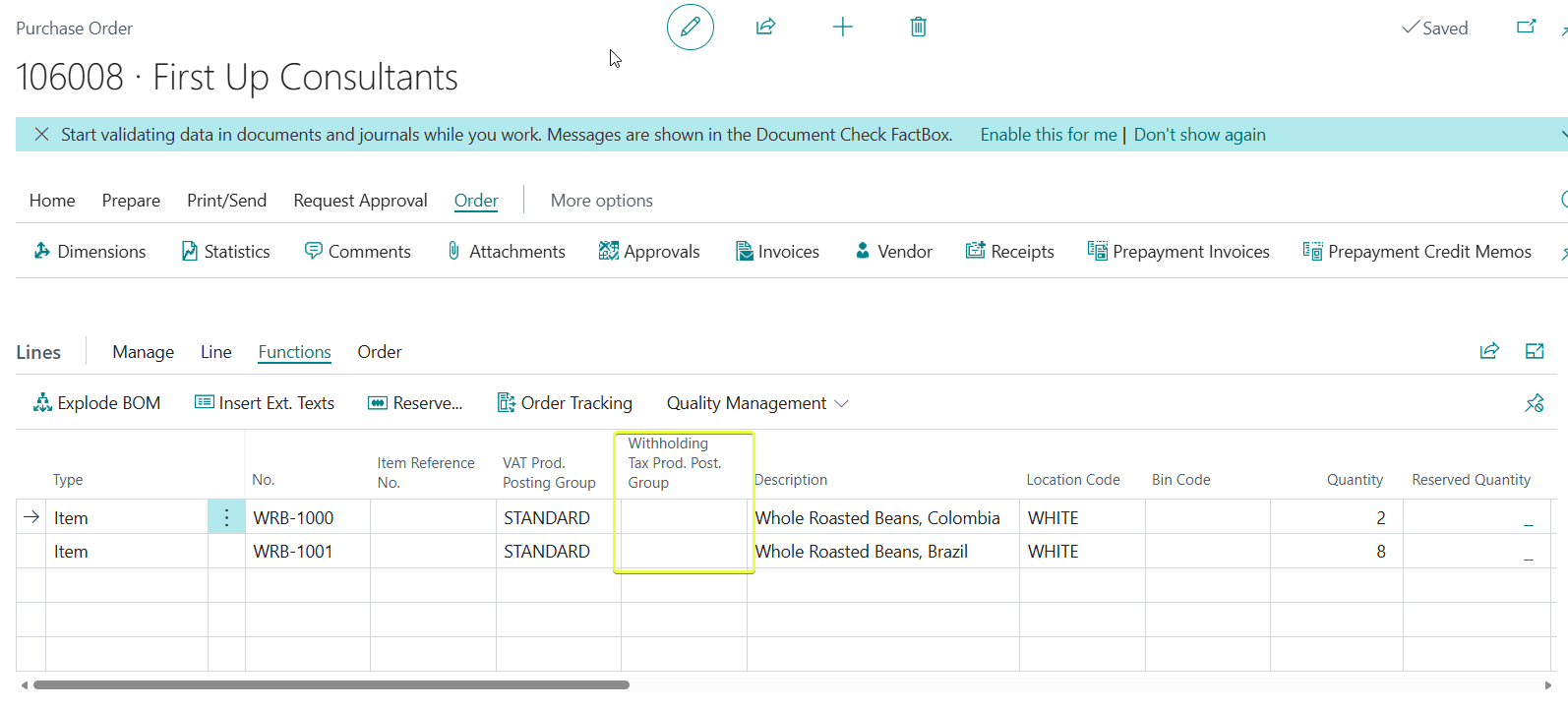
- Withholding Tax Prod. Post. Group and apply it to items or general ledger accounts.
- Withholding Tax Setup
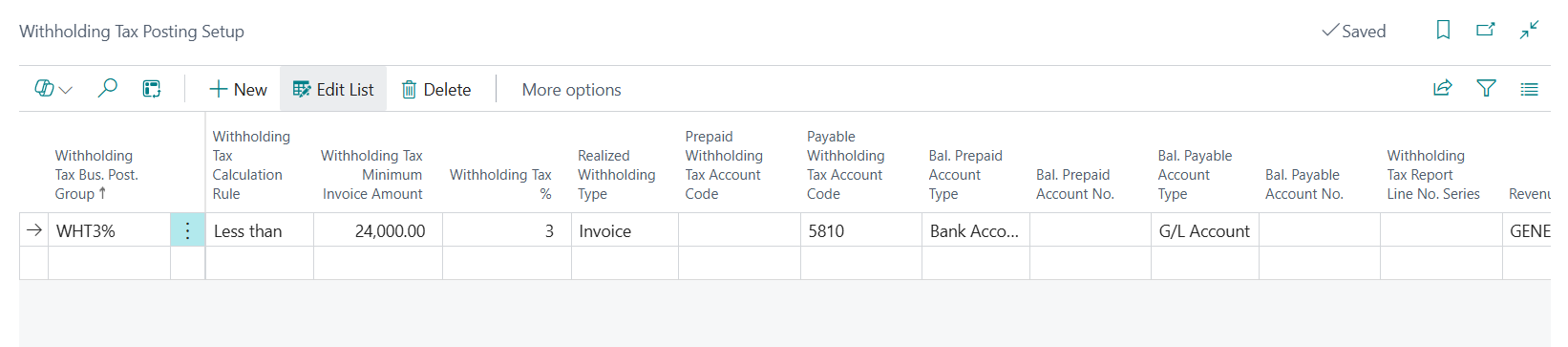
-
- WHT Calculation Rule This controls how the system applies the withholding tax threshold.
- WHT Minimum Invoice Amount Enter the threshold (invoice amount) below which withholding tax is not deducted. If the invoice (or relevant amount) is at or below this value—depending on your Calculation Rule—no WHT applies.
- WHT % Enter the withholding tax rate (as a percentage, without the % sign) for this specific combination of posting groups. Use 0.00 if no withholding should apply for this setup.
- Realized WHT Type Determines when the withholding tax is calculated and posted.
- Payable WHT Account Code Select the G/L account where withheld purchase tax amounts are posted (credited) for this posting group combination. This is typically a liability account for amounts owed to the tax authority.
- Purch. WHT Adjustment Account No. Select the G/L account used for adjustments or corrections on purchase credit memos/adjustment notes related to withholding tax.
Lets test it - I will post a purchase order of KES 100,000 with VAT of 16,000. The entries will be split as below. The 3% withholding tax payable will be deducted from the vendir liability and posted to a payable account.
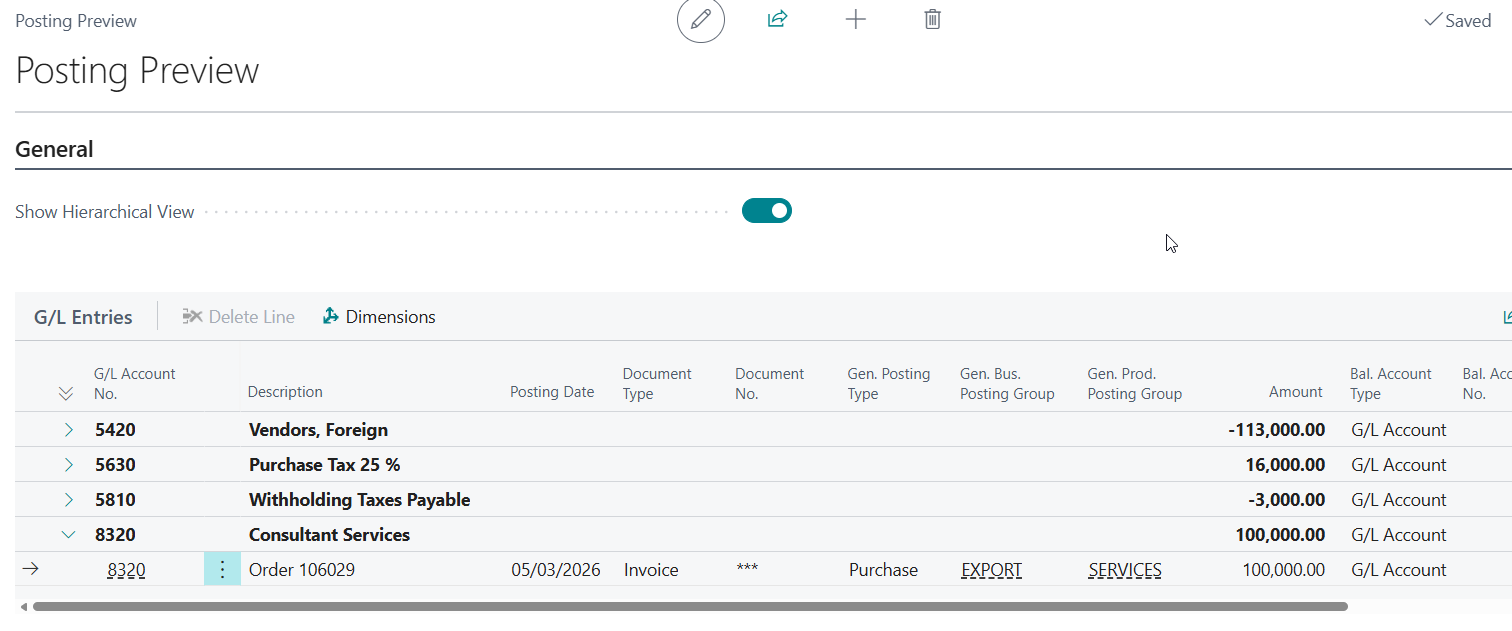
You can change the Withholding Tax Prod Posting group on the purchase lines.
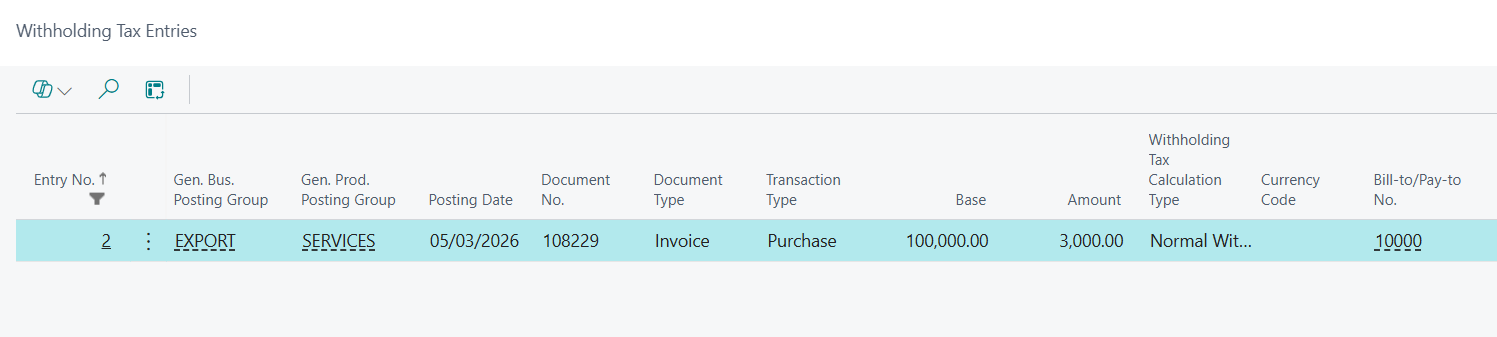
A withholding entry is made as soon as i post the invoice.
On paying the tax authority you can debit the WHT payable and credit the bank
The vendor will be paid the net amount of deducted WHT.
Roadmap by Microsoft